From price label to payout, one piece of information.
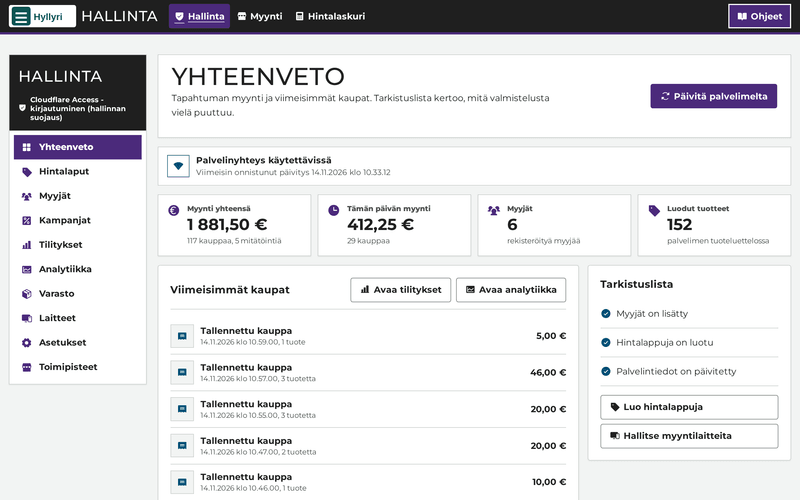
Hyllyri knows the price and the seller of every price label. Everything else is built on that: selling, the seller's own page, payouts and stock counts.
A label of its own for every item
A label has its own QR code, the price and the seller's code. The same label is read when selling, on the customer's phone and when counting stock.
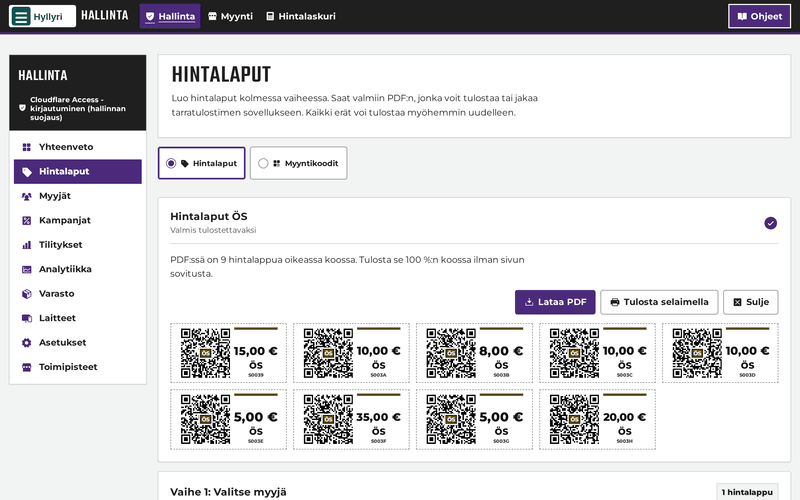
- Printing with an ordinary printer on A4 sticker sheets, or with a label printer on a roll.
- The price does not change afterwards. A new price means a new label, and the old one is retired.
- Price codes for small items: large QR codes for common prices, such as 1, 2 and 5 euros, so small items do not each need a label.
- The seller's code can be letters or a number.
Selling on a phone, tablet or computer
The selling screen runs in a browser. There is no device of its own to buy for selling.
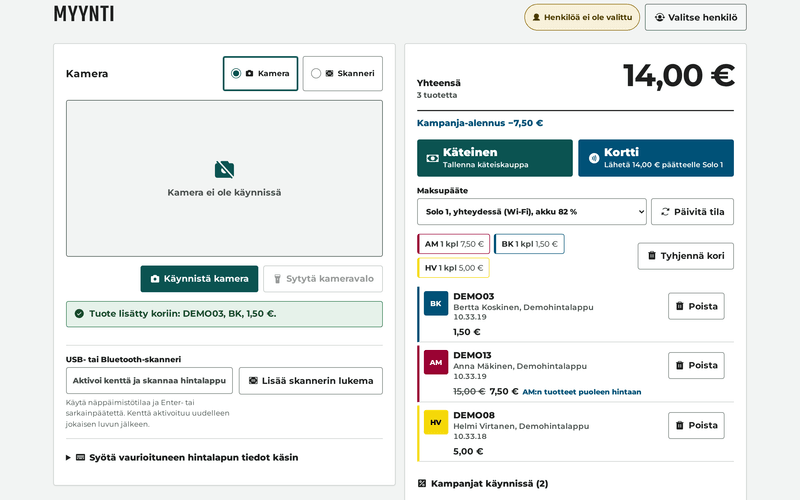
- A label is read with the device's camera or a USB or Bluetooth scanner.
- Campaigns apply to the cart on their own: percentage discounts and buy 3, pay for 2 offers for all sellers or for one seller, within a set time if you like.
- For cash the selling screen shows how much change to give.
- A receipt on the customer's phone from a QR code. The receipt can also be printed.
- Each selling device is set up with its own code.
- A PIN for everyone who sells, and every sale shows who made it.
Every seller's money counted
The payouts view works out each seller's sales, discounts and the organiser's commission.
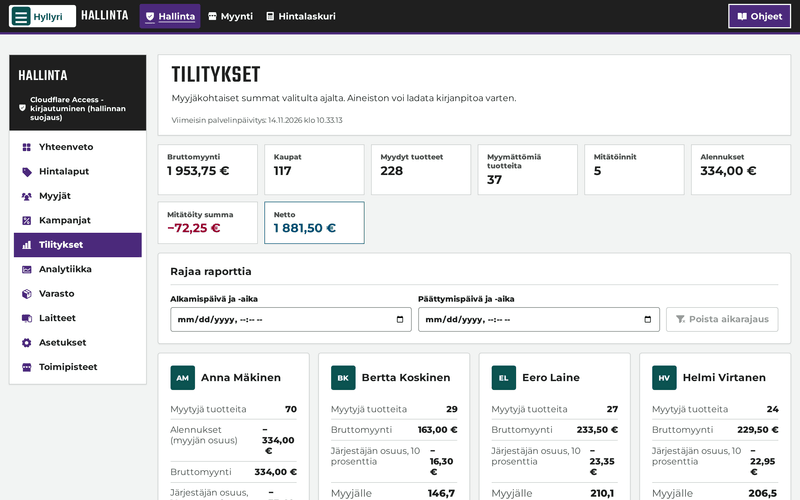
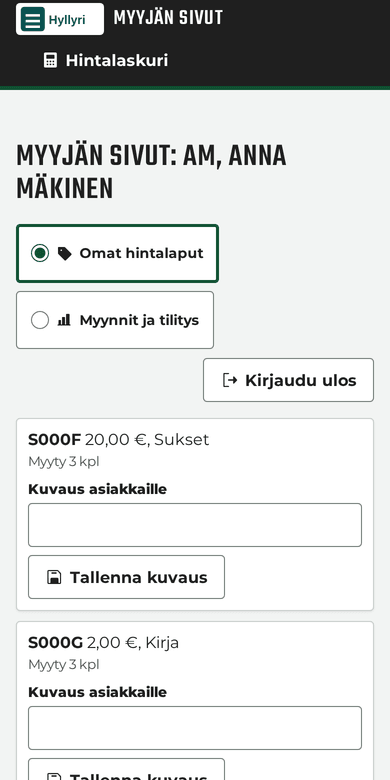
- The seller's own page: sellers see their own price labels, sales and payout on their phone.
- Only their own data. A seller signs in with a personal link and a PIN.
- Payout data as a CSV file for further use.
- Selling devices never receive sellers' contact details or commission rates.
Know what is on the shelf and what was sold
The administration shows sales, stock and the state of the backups in one place.
-
Counting by scanning
Count the goods by scanning the labels. Hyllyri shows which labels were found and which are missing.
-
Analytics
Sales by day and by hour, the split between payment methods, the best-selling items and the sellers who sold most.
-
Locations
One Hyllyri can have several locations. Each has its own sellers, price labels, selling devices, campaigns and sales.
-
A backup every night
The server backs up the data every night. The overview in the administration shows when the last one succeeded.
The price shows on the customer's own phone
Customers scan a label with their phone camera and see the price. The price calculator adds up several labels.
Try the price calculator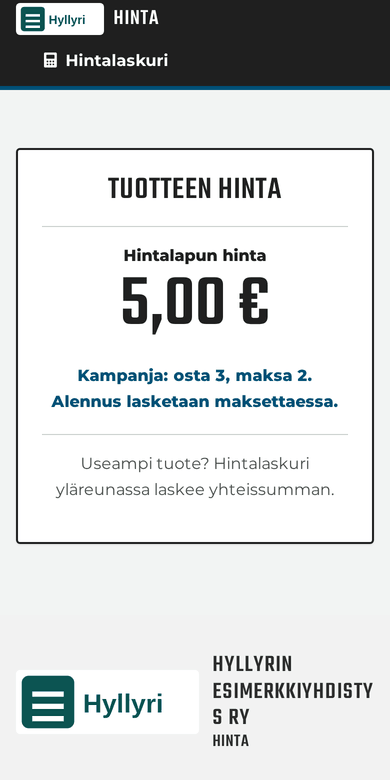
Selling carries on when the network drops
Once a device has been set up, the selling screen opens and sells without a connection too.
- Sales are saved on the device first and uploaded as soon as the connection is back.
- Prices and campaigns are worked out on the device, so they work offline as well.
- An open sale is kept even if the page reloads or the browser closes.
- Card payments need the network. During an outage you can charge the card on the SumUp terminal separately, and Hyllyri records the sale as a card payment.
Clear for everyone to use
Hyllyri aims at AAA, the highest level of WCAG 2.2. Accessibility is checked by automated tests on every view.
- AAAThe aim is the highest level of WCAG 2.2.
- 7:1Text contrast is at least this in both the light and the dark display mode.
- 44 pxTouch targets are at least 44 × 44 pixels.
- Works with a keyboard, and focus is clearly visible.
- Status is given in words, not by colour alone.
- Motion is left out when the device asks for reduced motion.
- An alternative to the camera: a label can be entered by hand by choosing the seller and the price.
The organiser's name, logo and colours
Hyllyri looks like the organiser's own. The look is set in the administration's settings.
- Name and logo: the organiser's name, such as an association's, a school's or a company's, and a logo as an SVG or PNG file.
- Colours: the main colour and the accent colours of the different areas.
- Contrast is checked. Hyllyri refuses a colour if text contrast would fall under 7:1, and says why.
- The defaults come back with one button.
Tell us about your flea market and we will show you Hyllyri.
Hyllyri is in pilot use. Write to us and we will show it and tell you how to join the pilot.
hello@hyllyri.fi